niuma
A downloadable tool for Windows
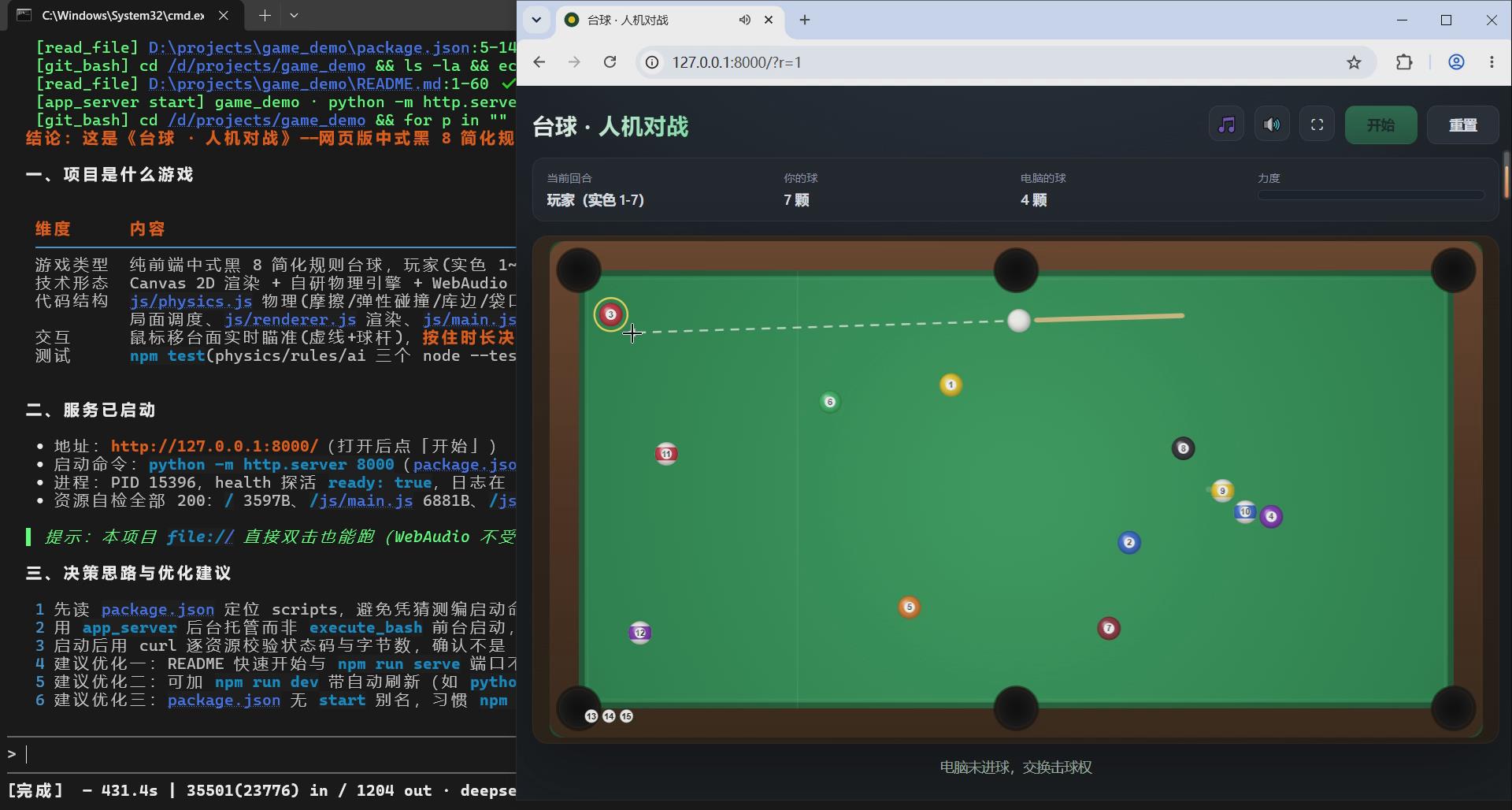
niuma is an AI agent that lives in your terminal. It does not just talk about your code - it drives a real browser, edits Office documents, and
generates or retouches images, all from one full-screen TUI.
WEB AUTOMATION, END TO END
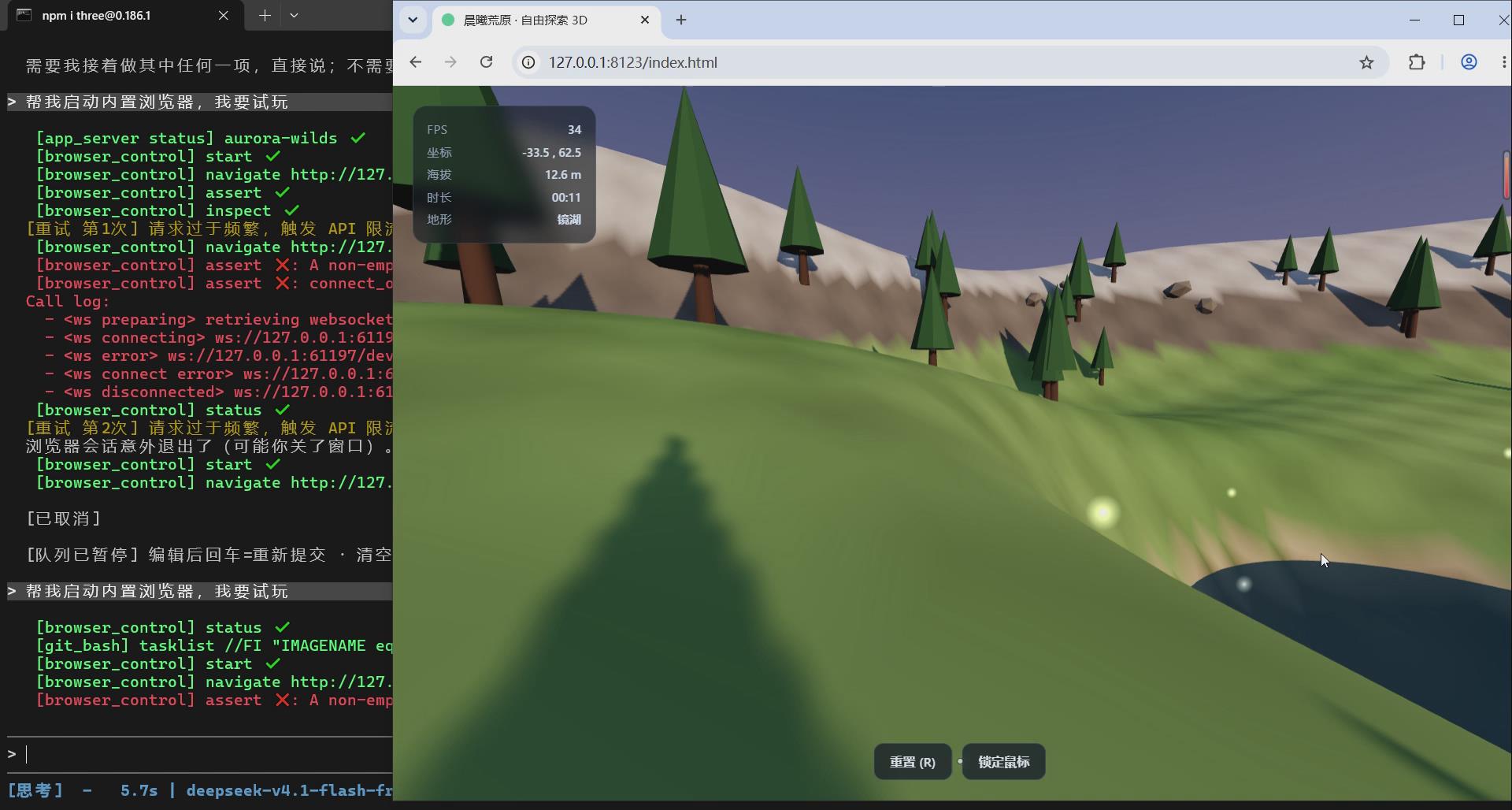
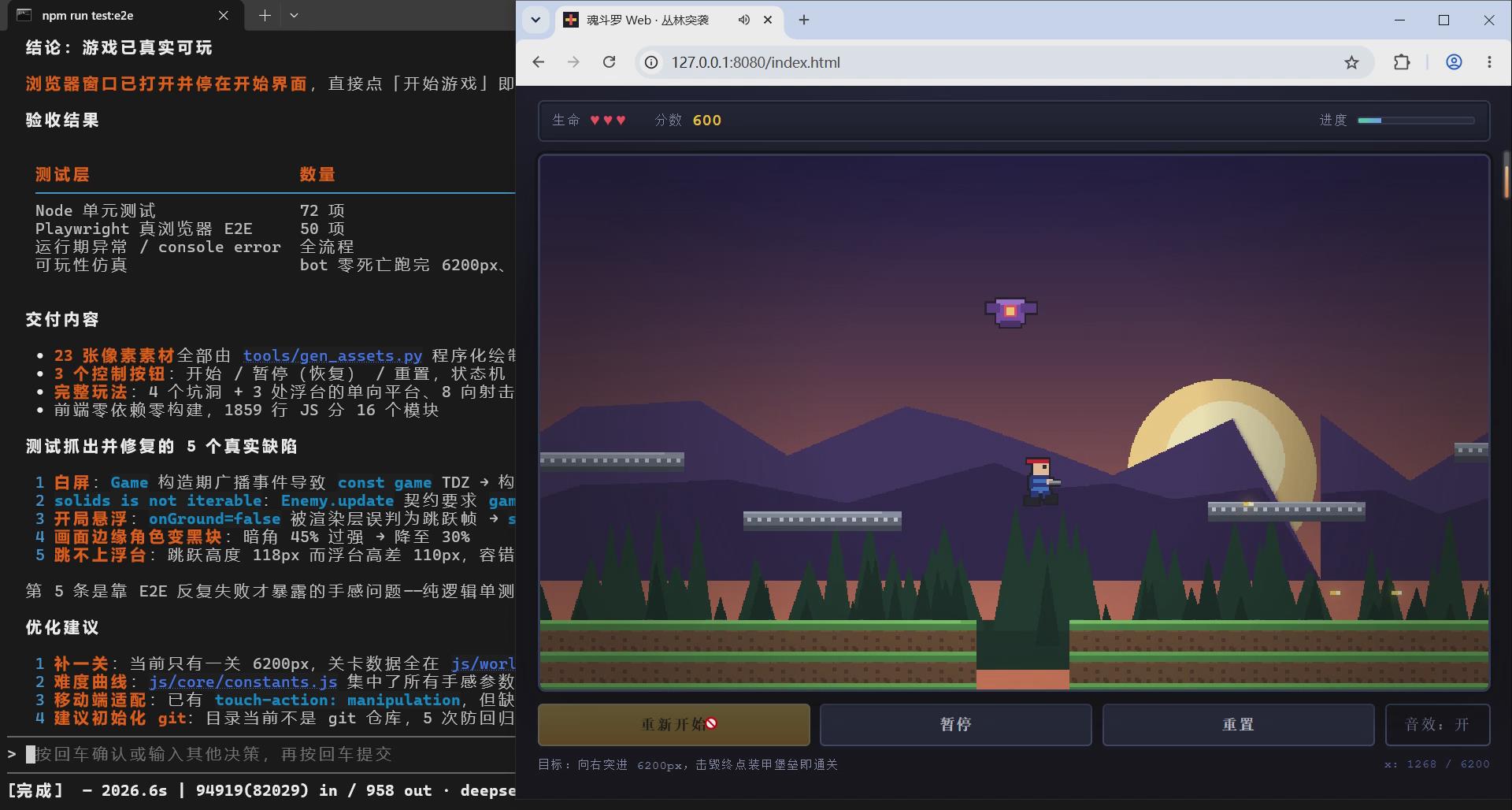
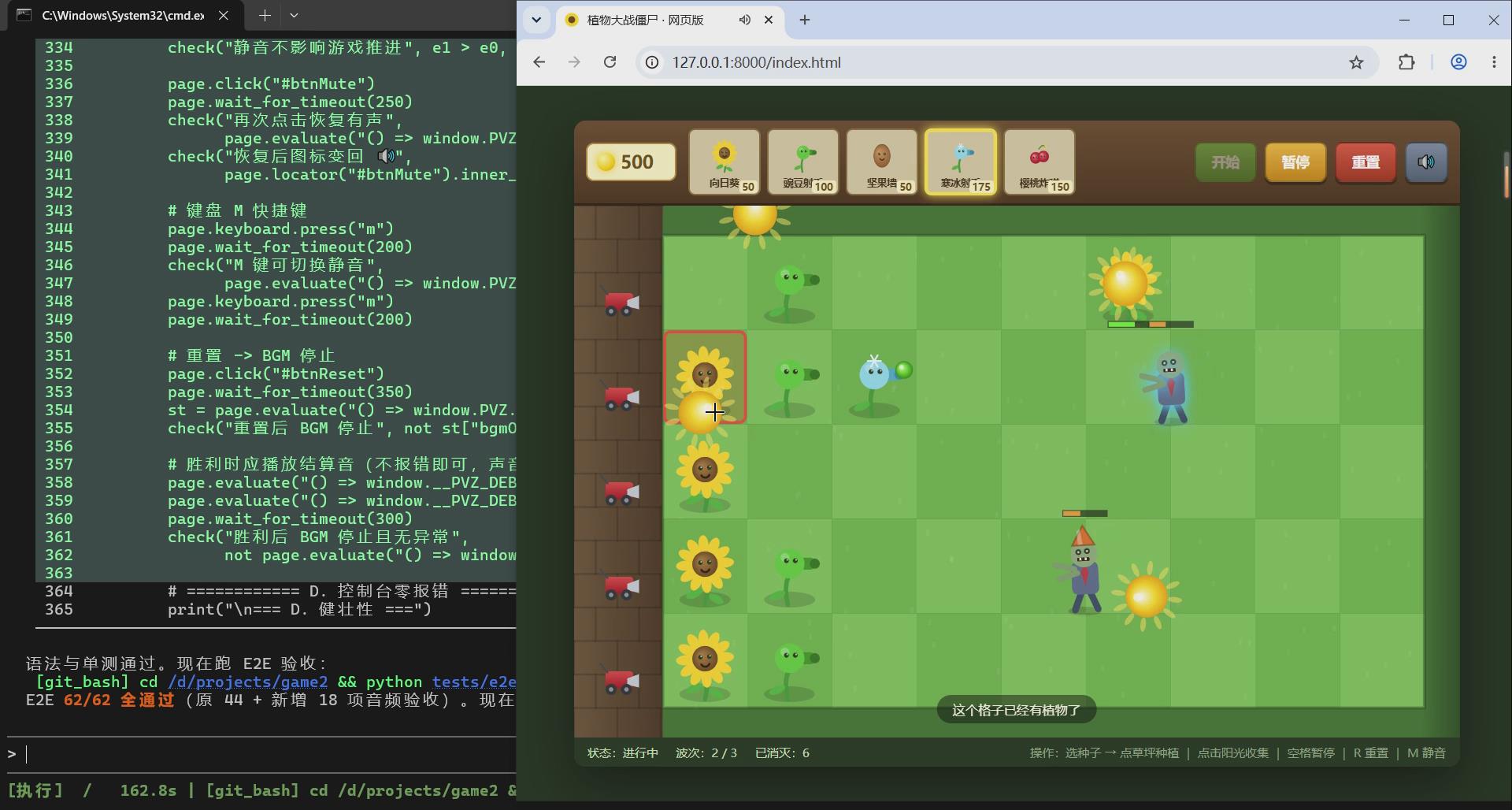
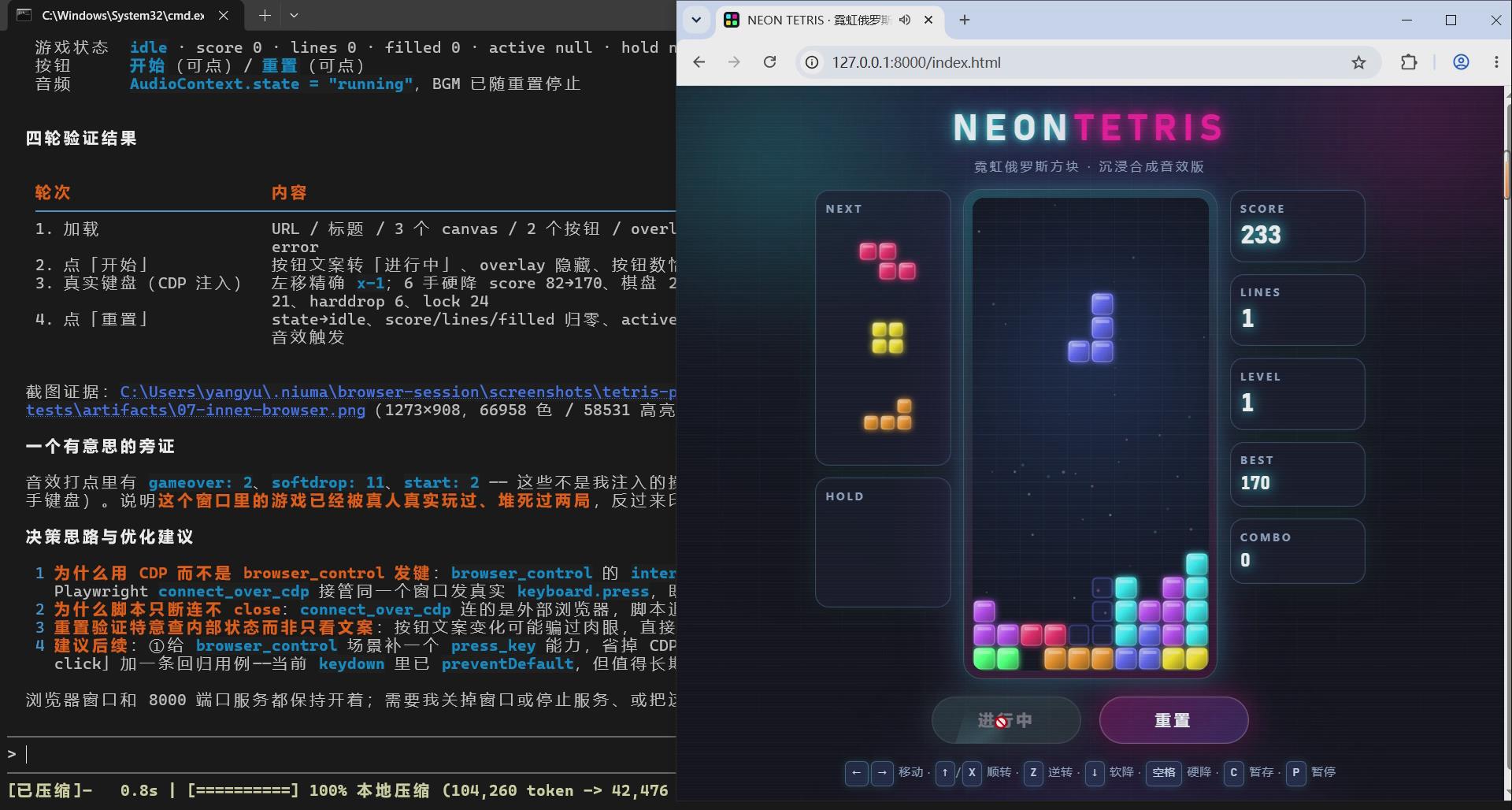
Most AI tools can describe a bug in a web app. niuma can go and find it.
- Drives the Chrome you already use, with your existing logins (attaches over CDP - no bundled headless browser, no re-login)
- 14 built-in actions: open a page, read it, click, fill and submit forms in one batch, download files, take screenshots, run JS in the page
- Captures browser console errors, uncaught exceptions and failed requests (4xx/5xx) with the source URL and line number
- Inspects the request list and reads xhr/fetch response bodies, so "HTTP 200 but the business code says failure" becomes visible
- Intercepts and mocks requests on the fly (fulfill / abort / delay) to reproduce error and slow-network states
- Structured assertions (URL match, text present/absent, element visible, element count, no console error, request status) return pass/fail instead of
making you eyeball the page
- Waits on a selector or network idle, and still reports what happened while waiting
- Guardrails: never fills password / OTP / card fields; payment, order, delete, publish and other high-impact submits stop for confirmation
The loop: open -> fill -> catch the console or network error -> fix the code -> re-run -> assert. Turn a bug report into a verified fix without leaving
the terminal.
OFFICE FILES, READ AND WRITE
- Excel: read a summary (shape, column names, inferred types, non-null rate, preview), filter by column, aggregate (sum / mean / min / max / count /
unique), then edit cells, rows and columns or delete rows; CSV works too
- Word: read paragraphs, headings and tables; generate documents; edit paragraphs and table cells; local and global find-and-replace; add or remove
hyperlinks
- PowerPoint: read text, tables, images and chart placeholders; generate 16:9 decks; rewrite titles, bullets and tables; global text replacement; add
or delete slides; add hyperlinks
- PDF: read text, table of contents, summary and keyword search; generate PDFs; delete or rotate pages, merge files, stamp watermarks
- Every edit returns a before/after diff, and existing files are backed up (.bak) before being overwritten
IMAGE GENERATION AND RETOUCHING
- /image - text to image with any image provider you configure, controlled by --size, --seed, --n and --quality
- /image2image - image to image: keep the composition and swap the style, or keep the layout and redraw a region from a reference image; supports
source crop, reference crop, mask, feather and context padding
- /imgedit - offline editing: crop, resize, rotate, split. No tokens, no network
- Results are saved to images/YYYYMMDD/ and returned as local paths
ALSO IN THE BOX
- Code knowledge graph: symbol definitions, call chains and dependencies for 12 languages (Python, JavaScript, TypeScript, Go, Java, Rust, Ruby, PHP,
C, C++, C#, Lua), returning file:line instead of grep noise
- Persistent memory across sessions and up to 10 parallel contexts
- /loop - plan, execute, verify, self-correct with a 3-strike retry rule
- Parallel read-only sub-agents that research in isolated contexts
- Multi-provider routing: OpenAI-compatible by default, Anthropic protocol supported
- Web search with general, code-documentation and GitHub modes
PRIVACY
No background upload. No telemetry. No silent rewrites. Local-first - it can run fully offline with local models. Your code only leaves the machine in
the requests you send to the provider you configured.
Free, portable, no signup: download niuma.exe, double-click, start working. A free token quota is included.
----------------------------------------------------------------------------------------------------------
niuma 是一个跑在终端里的 AI agent。它不只是聊代码——它能操作真实浏览器、读写 Office 文档、生成与修图,全部在一个全屏 TUI 里完成。
一、Web 自动化全流程
多数 AI 工具只能描述网页里的 bug,niuma 能去把它找出来。
- 驱动你本机已登录的 Chrome(通过 CDP 附加,不内置无头浏览器、不用重复登录)
- 14 个动作:打开页面、读取页面、点击、批量填表并提交、下载文件、截图、在页面内执行 JS
- 采集浏览器控制台报错、未捕获异常、失败请求(4xx/5xx),带来源 URL 与行号
- 查看请求列表并读取 xhr/fetch 响应体,让"HTTP 200 但业务码是失败"这种问题无处可藏
- 实时拦截并 mock 请求(fulfill / abort / delay),复现错误态与弱网态
- 结构化断言(URL 匹配、文本存在/不存在、元素可见、元素数量、无控制台报错、请求状态)直接给出 pass/fail,不靠肉眼判断
- 等待元素出现或网络空闲,等待期间照常采集,把"等异步报错"变成可控动作
- 安全护栏:绝不代填密码 / 验证码 / 银行卡字段;付款、下单、删除、发布等高危提交必须先确认
闭环:打开 → 填表 → 抓到 console 或网络报错 → 改代码 → 重跑 → 断言。不离开终端,把一条 bug 报告变成已验证的修复。
二、Office 办公
- Excel:读取摘要(行列数、列名、推断类型、非空率、预览),按列过滤、聚合统计(求和/均值/极值/计数/去重),编辑单元格、行、列或删行;CSV 同样支持
- Word:读段落、标题、表格;生成文档;改段落与表格单元格;局部与全局查找替换;新增或移除超链接
- PowerPoint:读文本、表格、图片与图表占位;生成 16:9 演示文稿;改标题、要点、表格;全局替换;增删页;挂超链接
- PDF:读正文、目录、摘要、关键词搜索;生成 PDF;删页、旋转、合并、叠加水印
- 每次编辑都返回改动前后 diff,覆盖已有文件前自动备份 .bak
三、AI 绘图与修图
- /image 文生图:支持多家图片 provider,--size / --seed / --n / --quality 精细控制
- /image2image 图生图:保留构图换风格,或保留版式用参考图局部重绘;支持源图裁剪、参考图裁剪、遮罩、羽化、上下文填充
- /imgedit 本地修图:裁剪、缩放、旋转、拆分,离线执行,不消耗 token
- 结果按 images/YYYYMMDD/ 落盘并返回本地路径
四、还有这些
- 代码知识图谱:12 种语言(Python、JavaScript、TypeScript、Go、Java、Rust、Ruby、PHP、C、C++、C#、Lua)的符号定义、调用链、依赖关系,返回
文件:行号,替代 grep 大海捞针
- 跨会话持久记忆 + 最多 10 个并行上下文
- /loop 目标驱动编排:规划 → 执行 → 验证 → 失败自纠(3 次重试)
- 只读子代理并行调研,结论回传,不污染主上下文
- 多 provider 路由:默认 OpenAI 兼容协议,支持 Anthropic 协议
- 联网搜索:通用网页、代码文档、GitHub 三种模式
五、隐私承诺
无后台上传、无遥测、无静默改写、本地优先——可完全离线接本地模型运行。代码只在你主动请求自己配置的服务商时才离开本机。
免费、免安装、免注册:下载 niuma.exe,双击即用,自带免费额度。
Download
Install instructions
niuma - an AI coding agent in your terminal. No installation, no signup, free quota included.
SYSTEM REQUIREMENTS
Windows 10 / 11 (1809 or newer), 64-bit; about 200 MB of free disk space.
1. RUN
Download niuma.exe and double-click it. A terminal window opens and you can start right away.
The first launch takes 5-15 seconds to unpack; later launches are instant.
On first run it also creates a few helper files next to the exe - this is normal.
2. SMARTSCREEN WARNING
This build is not code-signed. If Windows shows "Windows protected your PC",
click "More info" > "Run anyway".
3. FREE QUOTA INCLUDED
A free token quota is built in, so it works right away - no account and no API key needed.
To uninstall, just delete niuma.exe.
4. OPTIONAL: USE YOUR OWN API KEY
For more quota or a specific model, edit %USERPROFILE%\.niuma\settings.json
(fill in base_url / api_key / models under "providers"), or type /model inside the app.
Your key is stored on your machine only.
5. CLEANUP (OPTIONAL)
%LOCALAPPDATA%\niuma_code - runtime cache
%USERPROFILE%\.niuma - your config and session data
中文版
niuma - 终端里的 AI 编程助手。免安装、免注册,自带免费额度。
系统要求
Windows 10 / 11(1809 及以上),64 位;磁盘可用空间约 200 MB。
1. 运行
下载 niuma.exe,双击即可,会打开终端窗口直接开始使用。
首次启动需 5-15 秒解压,之后启动秒开。
首次运行会在 exe 同目录生成几个辅助文件,属正常现象。
2. SmartScreen 提示
本版本未做代码签名。若出现"Windows 已保护你的电脑",点"更多信息"→"仍要运行"。
3. 自带免费额度
内置免费 token 额度,开箱即用,无需注册账号,也无需填 API Key。
卸载只需删除 niuma.exe。
4. 选做:使用自己的 API Key
需要更多额度或指定模型时,编辑 %USERPROFILE%\.niuma\settings.json
(在 providers 中填 base_url / api_key / models),或在应用内输入 /model。
Key 仅保存在本机。
5. 清理(可选)
%LOCALAPPDATA%\niuma_code - 运行时缓存
%USERPROFILE%\.niuma - 配置与会话数据
Leave a comment
Log in with itch.io to leave a comment.